1.新建应用
在开发者后台 - 飞书开放平台新建应用,权限需要contact:contact.base:readonly,contact:user.email:readonly
安全设置
https://open.feishu.cn/app/appid/safe
需要配置newapi回调
https://newapi/oauth/feishu
2.访问newapi的系统设置
/console/setting?tab=system
找到自定义 OAuth 提供商
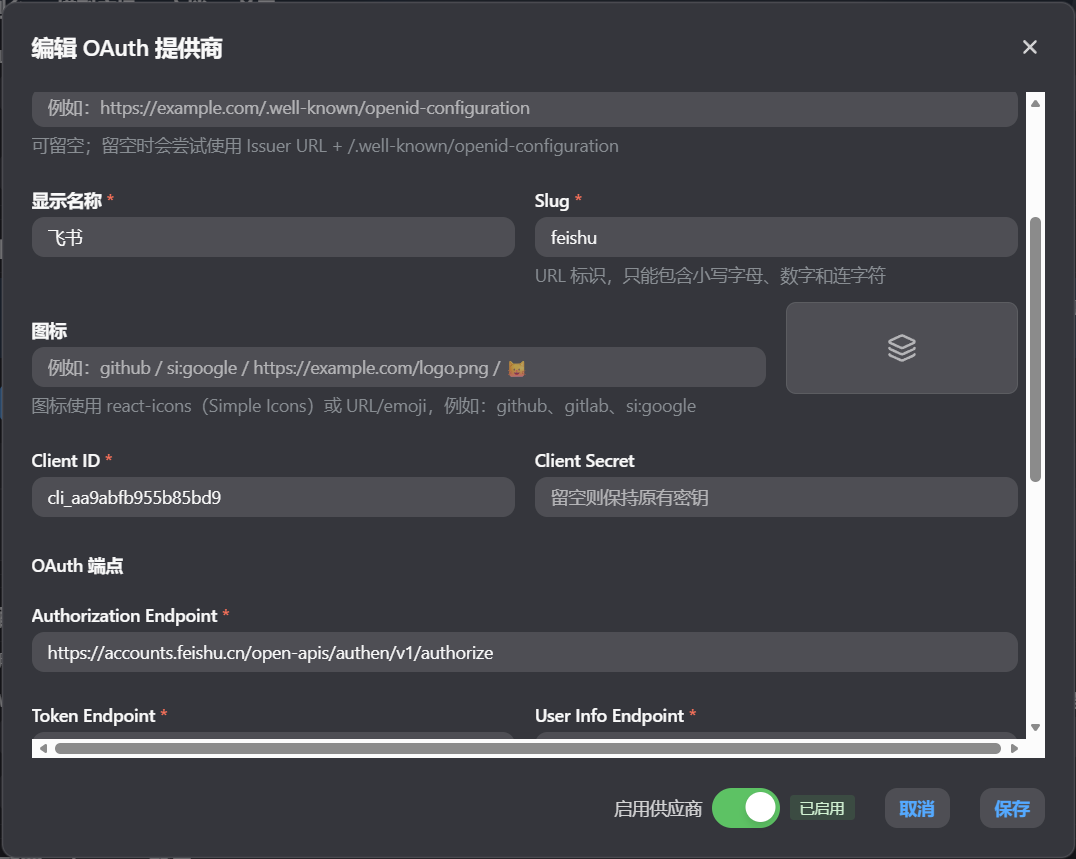
Client ID,Client Secret
填写飞书的App ID,App Secret
显示名称可以写飞书,slug可以写feishu
Authorization Endpoint:https://accounts.feishu.cn/open-apis/authen/v1/authorize
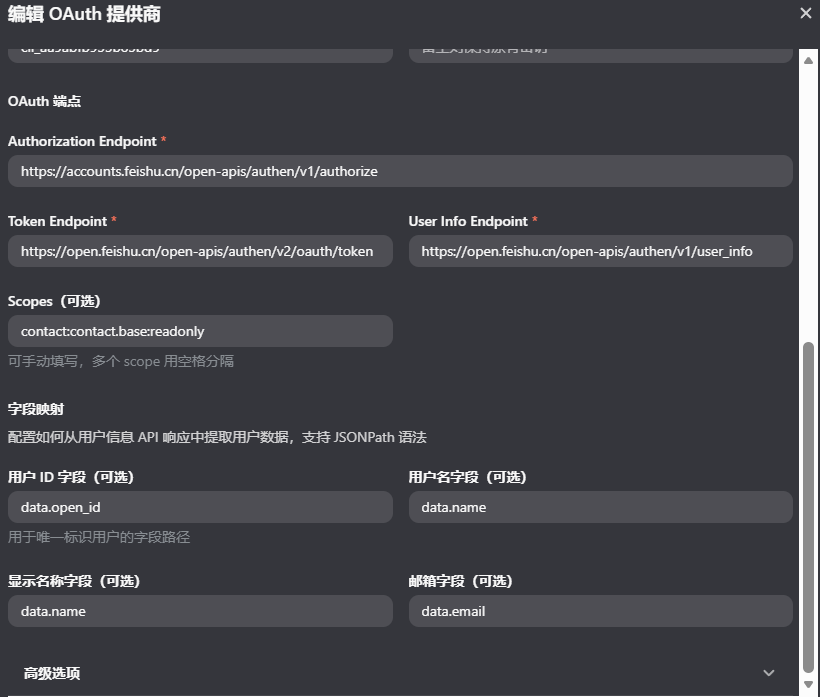
Token Endpoint:https://open.feishu.cn/open-apis/authen/v2/oauth/token
User Info Endpoint:https://open.feishu.cn/open-apis/authen/v1/user_info
Scopes:contact:contact.base:readonly
数据字段映射:
data.open_id,data.name,data.email

 支付宝微信扫一扫,打赏作者吧~
本文链接:https://kinber.cn/post/6712.html 转载需授权!
推荐本站淘宝优惠价购买喜欢的宝贝:

 您阅读本篇文章共花了: