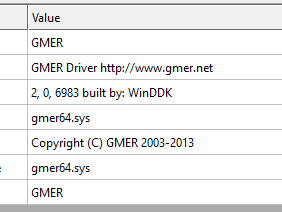
驱动和C++代码来自 https://github.com/ZeroMemoryEx/Terminator
可以关掉一些任务管理器都无法关掉的进程(提示禁止访问活着无访问权限)
C++导出函数
C#
#include "pch.h"#define _CRT_SECURE_NO_WARNINGS#include <iostream>#include <Windows.h>#include <tlhelp32.h>#define IOCTL_REGISTER_PROCESS 0x80002010#define IOCTL_TERMINATE_PROCESS 0x80002048extern "C" __declspec(dllexport) int LoadDriver(char* g_serviceName,char* driverPath){ SC_HANDLE hSCM, hService; hSCM = OpenSCManager(NULL, NULL, SC_MANAGER_ALL_ACCESS); if (hSCM == NULL) return (1); hService = OpenServiceA(hSCM, g_serviceName, SERVICE_ALL_ACCESS); if (hService != NULL) { SERVICE_STATUS serviceStatus; if (!QueryServiceStatus(hService, &serviceStatus)) { CloseServiceHandle(hService); CloseServiceHandle(hSCM); return (1); } if (serviceStatus.dwCurrentState == SERVICE_STOPPED) { if (!StartServiceA(hService, 0, nullptr)) { CloseServiceHandle(hService); CloseServiceHandle(hSCM); return (1); } } CloseServiceHandle(hService); CloseServiceHandle(hSCM); return (0); } hService = CreateServiceA(hSCM, g_serviceName, g_serviceName, SERVICE_ALL_ACCESS, SERVICE_KERNEL_DRIVER, SERVICE_DEMAND_START, SERVICE_ERROR_IGNORE, driverPath, NULL, NULL, NULL, NULL, NULL); if (hService == NULL) { CloseServiceHandle(hSCM); return (1); } if (!StartServiceA(hService, 0, nullptr)) { CloseServiceHandle(hService); CloseServiceHandle(hSCM); return (1); } CloseServiceHandle(hService); CloseServiceHandle(hSCM); return (0);}extern "C" __declspec(dllexport) int ProcessKiller(unsigned int procId){ HANDLE hDevice = CreateFile(L"\\\\.\\ZemanaAntiMalware", GENERIC_WRITE | GENERIC_READ, 0, NULL, OPEN_EXISTING, FILE_ATTRIBUTE_NORMAL, NULL); if (hDevice == INVALID_HANDLE_VALUE) { printf("Failed to open handle to driver !! "); return (-1); } unsigned int input = GetCurrentProcessId(); if (!DeviceIoControl(hDevice, IOCTL_REGISTER_PROCESS, &input, sizeof(input), NULL, 0, NULL, NULL)) { printf("Failed to register the process in the trusted list %X !!\n", IOCTL_REGISTER_PROCESS); CloseHandle(hDevice); return (-1); } unsigned int pOutbuff = 0; DWORD bytesRet = 0; DeviceIoControl(hDevice, IOCTL_TERMINATE_PROCESS, &procId, sizeof(procId), &pOutbuff, sizeof(pOutbuff), &bytesRet, NULL); CloseHandle(hDevice); return 0;}C#调用
killer.sys 是我改了文件名
调用 InitDriver,然后就可以使用 Kill 干掉进程了
C#
[DllImport("xxx.dll")] public static extern int LoadDriver(string serviceName, string driverPath); [DllImport("xxx.dll")] public static extern int ProcessKiller(uint pid); private void InitDriver(){ try { LoadDriver("serviceName", Path.GetFullPath(Path.Join("./", "killer.sys"))); } catch (Exception ex) { Console.WriteLine(ex+""); }}public void Kill(int pid){ try { ProcessKiller((uint)pid); } catch (Exception ex) { Console.WriteLine(ex+""); }}
 支付宝微信扫一扫,打赏作者吧~